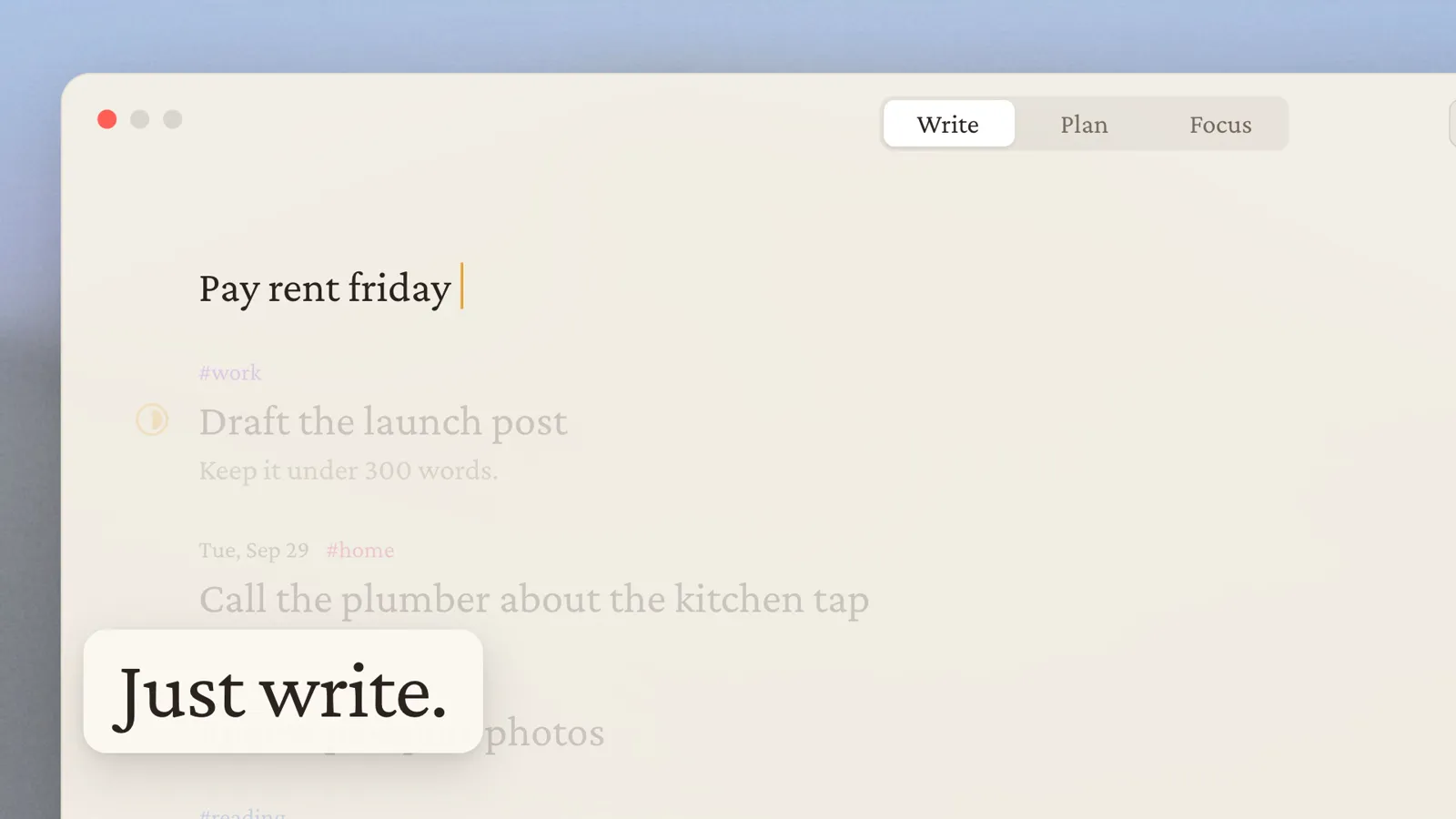

Native macOS overlay

The fastest way
to get it out of
your head.

Diurnal is a plan for today that opens on top of whatever you are doing. Press K, write “pay rent tomorrow 4pm #home”, press Return. It reads the day, the time and the tag out of your sentence, then gets out of your way.

Made for Mac · Works offline · Your calendar stays optional

01 / Try it yourself

Do not take our word for it.

This is the real overlay, rebuilt in your browser on invented data. Add a task, move it to another day, open the calendar. Close the tab and it forgets every bit of it.

Diurnal is built for macOS

Open this page on a Mac, or any screen wider than 900px, to try the app right here in your browser.

Overdue

2

Today

4
/commands

Press ⌃⌘K, or click the hint on the desktop, to open Diurnal.

02 / How it works

Learn it once, in about five seconds.

One shortcut, one sentence, one keypress. There is no onboarding, no project setup and no method to adopt.

  1. 01

    It comes to you

    ⌘K puts Diurnal on top of whatever you are doing: a document, a browser, a call. Nothing to find in the Dock, nothing to switch to, no window to get back out of.

  2. 02

    Write it like a person

    “pay rent tomorrow 4pm #home”. The day, the time and the tag lift out of the sentence as you type, and Diurnal shows you what it understood before you commit to it.

  3. 03

    Return, and you are gone

    It lands on the right day, the time becomes a reminder, and the overlay dismisses. Your train of thought survives the interruption, which is the entire point.

03 / What it does

Small on purpose.

Diurnal captures, reads what you wrote, and shows you one day. Everything it refuses to do is the reason the part it does do stays fast.

No app to open

The thought arrives while you are inside something else. One shortcut puts a single box in front of you, and the app you were in never loses focus.

Plain sentences, understood

“next tuesday”, “in 20 minutes”, “#work”. Diurnal lifts the day, the time and the tag out of what you typed and shows you its reading before anything is saved.

A day, not a backlog

Every task belongs to a date, so the list ends. Overdue sits above today where you cannot ignore it, and what is left on screen is genuinely what is left.

Meetings and tasks, one view

Connect Google Calendar and every account lands on one timeline beside the day's work, so you can see the four hours you actually have. Type /cal to book into them.

Never waits on a network

Your day lives on your own Mac, so Diurnal is on screen before you finish the keystroke. On a plane, in a lift, or on hotel wifi, it opens exactly as fast.

The same day on every Mac

Anything you change offline catches up as soon as you reconnect. The Mac you pick up in the evening shows the day you left on the one you shut at lunch.

04 / Watch it work

The part a browser cannot show you.

A tab cannot demonstrate an app arriving over your editor in the time it takes to lift your fingers, or disappearing so completely that you forget you opened it. A walkthrough on a real Mac can.

Walkthrough coming soon

The real appNo editsReal time

05 / Data

Asked for narrowly, explained fully.

Diurnal needs an account, and says so plainly rather than burying it. Your day syncs so it survives a dead laptop. Your calendar is a separate decision you make later, or never, and nothing you do in the app is tracked.

  • Diurnal accountRequiredNot a profile. Diurnal keeps what you write and who you are, not what you do with the app. It does not track how you use it.
  • Calendar (Google)On requestNot requested until you connect an account. Diurnal never asks for the scope that can delete calendars, and it does not read calendars you have not added.
  • NotificationsOptionalNot a channel for anything else. Diurnal sends no announcements, no marketing and no re-engagement nudges.
  • NetworkRequiredNot used for tracking. Diurnal does not measure how you use it, so there is nothing to opt out of.
  • Launch at loginOptionalNot required. Diurnal works exactly the same if you start it yourself.

06 / Questions

Before you install.

Everything below is true of the app as it ships today, including the parts that are easier to leave out.

What is Diurnal, exactly?

A capture-and-plan overlay for macOS. Press ⌘K anywhere, write what you need to do the way you would say it, press Return. It lives in the menu bar and is invisible the rest of the time.

How is this different from a to-do app?

A to-do app is a place you go. Diurnal is a key you press, and it puts work on a day rather than on a pile. There is no project tree, no board and no inbox to process on Sunday evening, because none of that survives contact with a normal week.

Do I need an account?

Yes. You sign in first, with Google or with an email address and password, because your day is synced so it exists on every Mac you use rather than on one disk. Signing in gives Diurnal no access to your calendar: that is a separate decision you make later, or never.

Does it work offline?

Yes, once you are signed in. Your day is kept on your own Mac, so Diurnal shows it whether or not you have a connection. Anything you change while offline is saved and catches up the moment you are back.

What happens to my calendar data?

Connecting Google Calendar is optional and separate from signing in. Diurnal asks for the narrowest scopes that work: list the calendars on your account, and read or add events. It never asks for the scope that can delete calendars. Data and permissions has the full breakdown.

What if I stop using it?

Signing out empties the Mac. It finishes saving anything still waiting, then removes your tasks, your saved login, any reminders it had set and any calendar events it was holding.

Which macOS do I need?

A Mac running a current macOS. Diurnal is a real Mac app rather than a web page in a window, which is why it is already on screen by the time you lift your fingers.

The demo on this page ignores ⌘K. Why?

Because you are probably already running Diurnal. macOS gives that shortcut to the app itself, ahead of everything else, so your browser never sees it. Use ⌃⌘K on this page instead, or click the hint.

Is the demo on this page real?

It is a faithful replica, and every task in it is invented. It reads no calendar of yours, saves nothing, and forgets all of it when you close the tab.

One key away, all day

The next thing you think of should not cost you the thing you are doing.

Requires macOS · Sign in with Google or email · Offline once you are in


